Clean up
One advantage of managing infrastructure with CloudFormation is that resources will be centrally managed in stacks. Therefore, you can easily turn off the system when you do not need it or let the system only run during a fixed time frame, or no longer use this system.
Stacks will be deleted in the reverse order of initialization because CloudFormation will help identify the Stack Export value being used in other Stacks and will not allow you to delete the current stack. An example notification is as shown below:
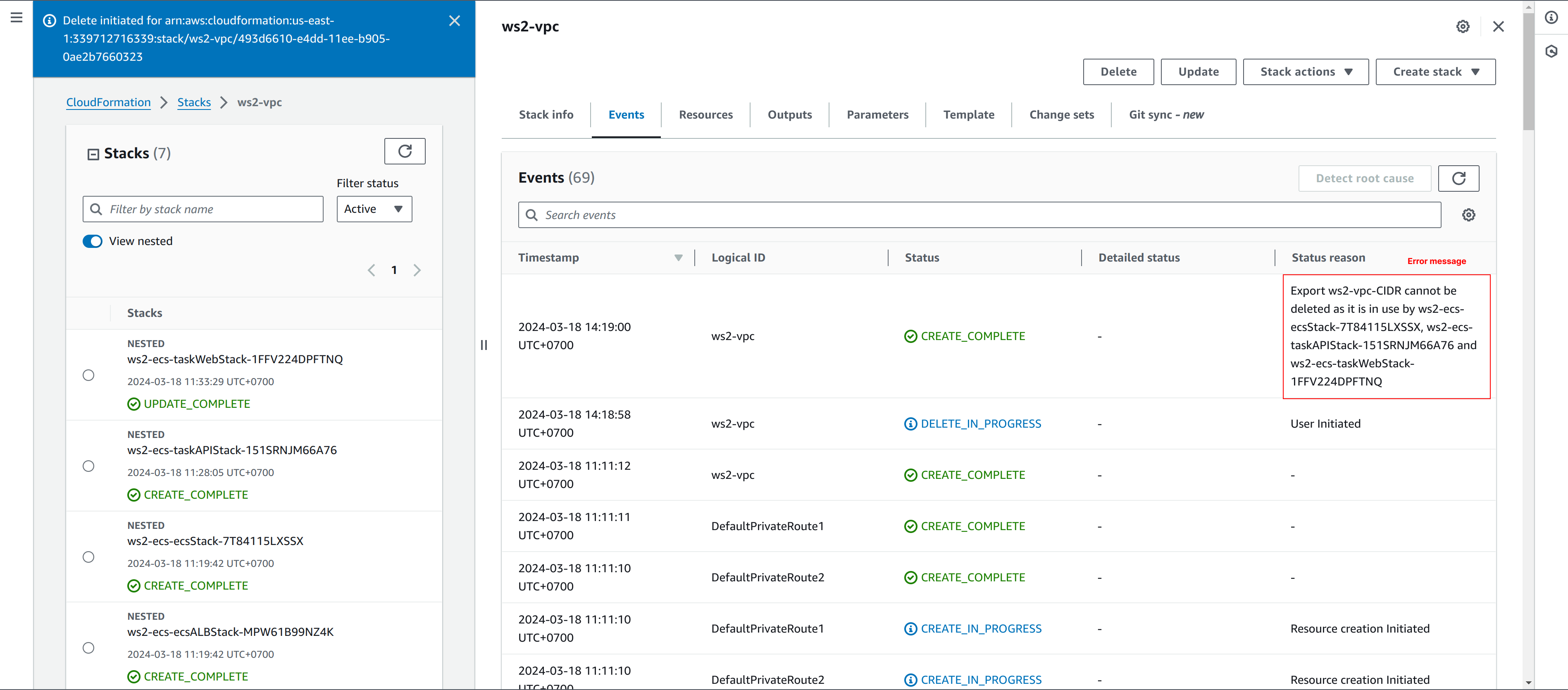
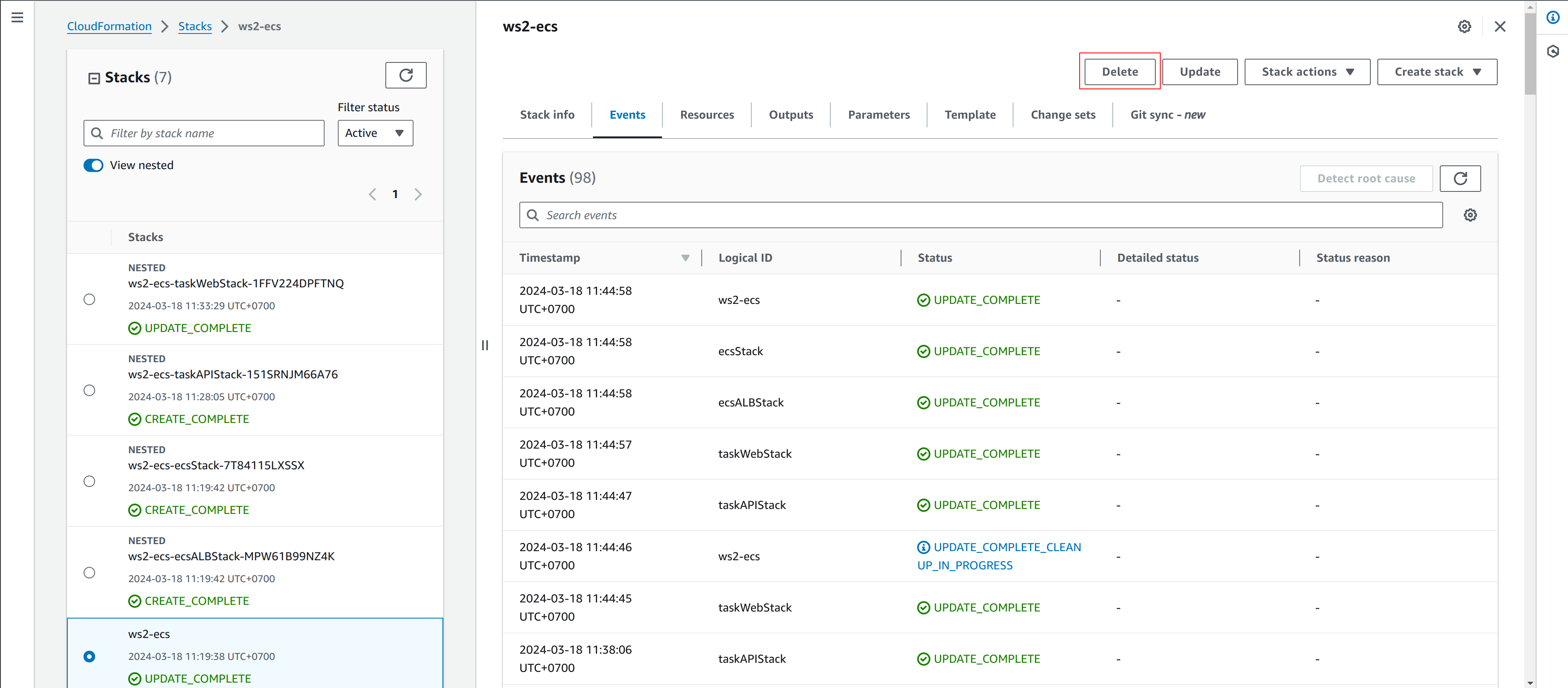
When deleting the parent stack, the nested stacks will be deleted, so you just need to delete the ECS stack and then the VPC stack.
To delete a stack, access the CloudFormation Console, select the Stack you want to delete and select Delete in the right pane in the detailed description of the stack.
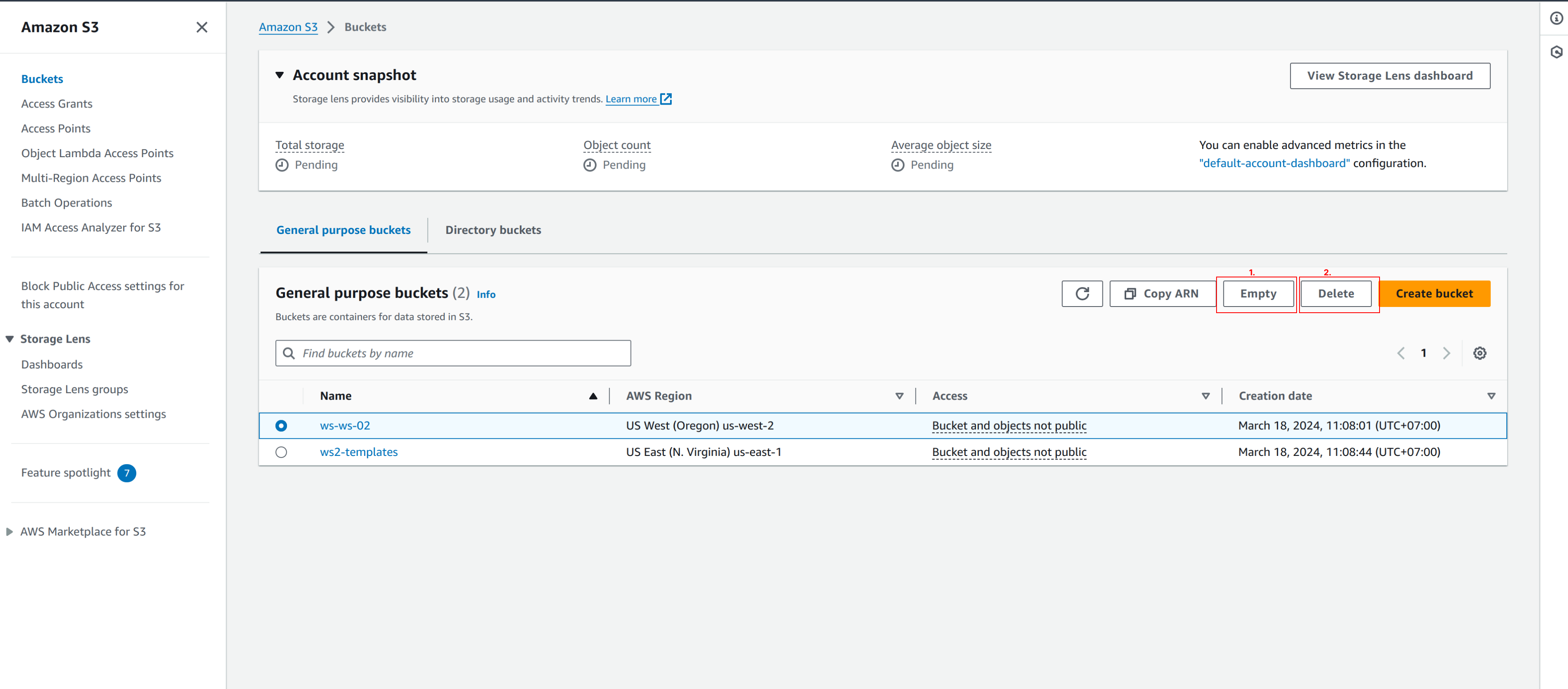
Access the S3 Console to delete the bucket created to contain the previously created CloudFormation. To delete S3:
- Because the S3 bucket contains objects, which needs to be emptied before the bucket can be deleted. Select Empty to delete objects inside the bucket.
- Select Delete to delete the bucket