Monitor
Once we have completed deploying the ECS cluster, we have many methods to monitor the health and performance of the system. This article introduces 3 system monitoring methods using Container Insights to record current system parameters and logs of each container, from building a notification mechanism when application errors are logged. and finally alert developers when state changes occur in the cluster using the EventBridge tool. Notifications will be aggregated and then sent to the Slack application to help the development team easily receive notifications.
Monitor with Container Insights
ECS supports log viewing of all containers deployed in the cluster by enabling Container Insights. It allows you to synthesize specific measurements for each active container, such as Memory, CPU parameters, number of failed restarts,… You can configure the CloudFormation template as follows:
Cluster:
  Type: AWS::ECS::Cluster
  Properties:
    ClusterName: !Ref ClusterName
    ClusterSettings:
      - Name: containerInsights
        Value: enabled
You can check this feature on ECS Console:
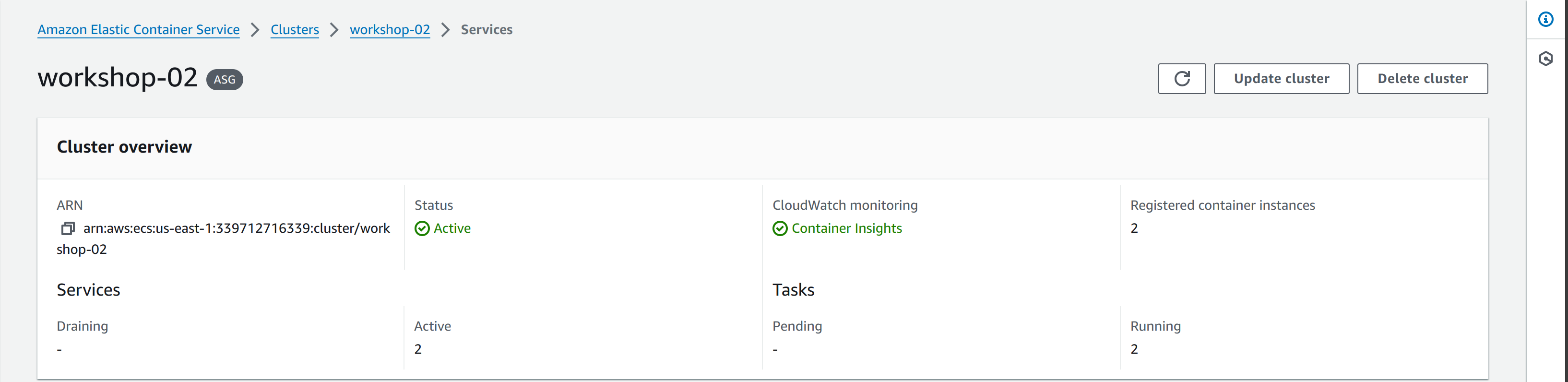
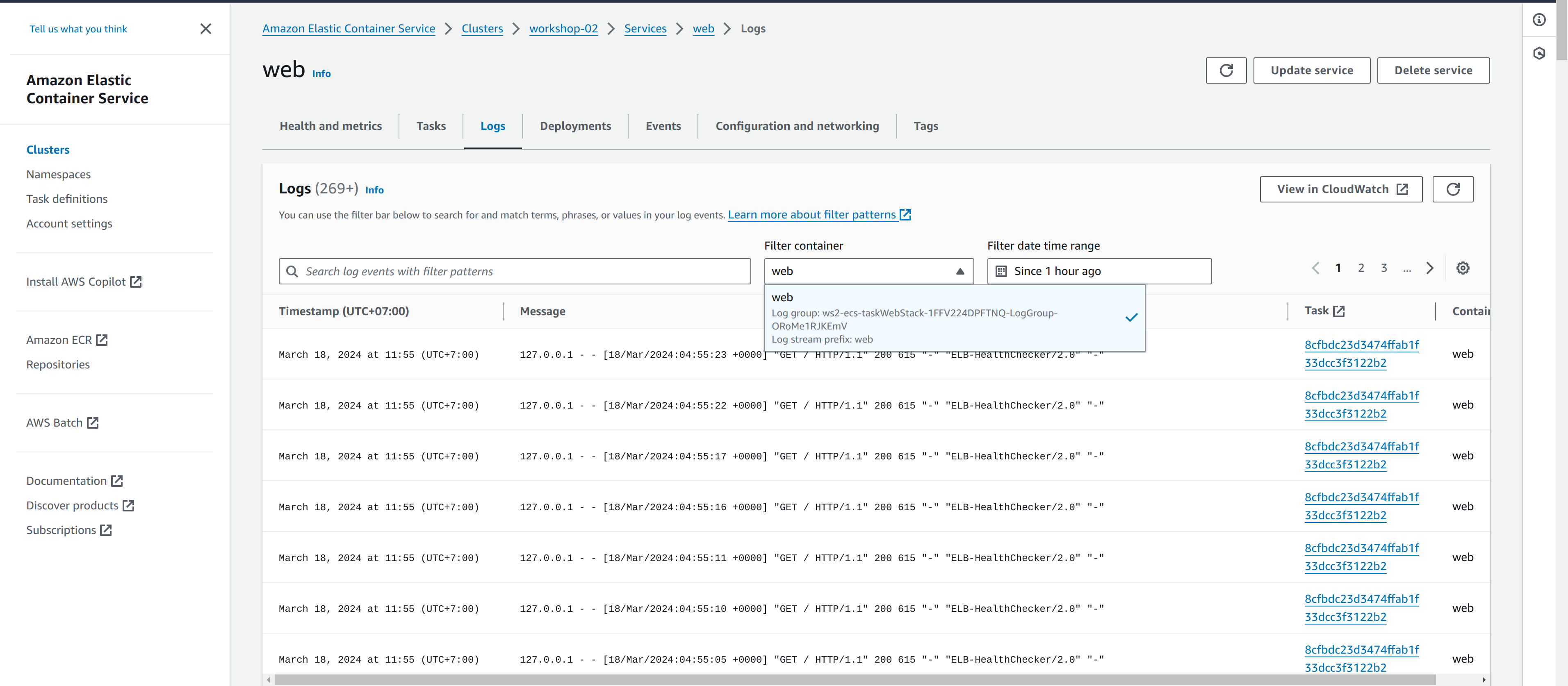
Additionally, you can read the container logs in the Logs panel within each service. Container Log is collected and sent to CloudWatch Log when creating TaskDefinition. To configure, add a LogConfiguration section to each container in the Task:
  TaskDefinition:
    Type: AWS::ECS::TaskDefinition
    Properties:
      ContainerDefinitions:
        - Name: !Ref ServiceName
          LogConfiguration:
            LogDriver: awslogs
            Options:
              mode: non-blocking
              max-buffer-size: 25m
              awslogs-group: !Ref LogGroup
              awslogs-region: !Ref AWS::Region
              awslogs-stream-prefix: !Ref ServiceName
For example, you can view the web container log:
Notify application error with CloudWatch Alarm
Container Insights helps automatically write logs from containers to the CloudWatch Log group service. From there we can set up a mechanism to check for application errors recorded using a pre-set event template. This service will read all recorded logs and issue warnings when errors occur.
In this article, we will create a Metric Filter based on the pattern %ERROR% to filter application error log lines, and further configure CloudWatch Alarms for each Metric Filter to send notifications to the developer.
AWSTemplateFormatVersion: '2010-09-09'
Transform: 'AWS::LanguageExtensions'
Description: ECR repository
Parameters:
  SNSTopic:
    Type: String
    Default: arn:aws:sns:ap-southeast-1:761048055120:NotiSlack
Mappings:
  LogGroupNames:
    Task:
      API: filter
      Web: for-metric-filter

Resources:
  'Fn::ForEach::MetricFilters':
    - Identifier
    - [API, Web]
    - 'MetricFilter${Identifier}':
        Type: AWS::Logs::MetricFilter
        Properties:
          LogGroupName: !FindInMap [LogGroupNames, Task, !Ref Identifier]
          FilterPattern: '%ERROR%'
          MetricTransformations:
            - MetricValue: 1
              MetricNamespace: ws02
              MetricName: !Join ["-" ,["ws02", !FindInMap [LogGroupNames, Task, !Ref Identifier]]]
              Unit: Count
              DefaultValue: 0
      'Alarm${Identifier}':
        Type: AWS::CloudWatch::Alarm
        DependsOn: !Join ["", [MetricFilter, !Ref Identifier]]
        Properties:
          AlarmName: !Join ["-" ,["ws02", !FindInMap [LogGroupNames, Task, !Ref Identifier]]]
          AlarmDescription: Alarm for metric filter
          AlarmActions:
            - !Ref SNSTopic
          MetricName: !Join ["-" ,["ws02", !FindInMap [LogGroupNames, Task, !Ref Identifier]]]
          Namespace: ws02
          Statistic: Sum
          Period: 10
          EvaluationPeriods: 2
          DatapointsToAlarm: 2
          Threshold: 10
          ComparisonOperator: GreaterThanOrEqualToThreshold
Notify state change with EventBridge
AWS EventBridge is a powerful tool that supports capturing events for most AWS services. In this article we will use this tool to catch state change events in the ECS cluster and notify to developers. For example, when a task encounters an error and automatically shuts down or when the amount of traffic increases, leading to the expansion of more computing units.
  ECSClusterStateChangeRule:
    Type: AWS::Events::Rule
    Properties:
      Description: EventBridge rule for ECS cluster state changes
      EventBusName:  !Ref EventBusName
      EventPattern:
        source:
          - aws.ecs
        detail-type:
          - ECS Task State Change
          - ECS Container Instance State Change
          - ECS Deployment State Change
        detail:
          clusterArn:
            - !Ref ClusterARN
      Name: ws02-ecs-cluster-state-change
      State: ENABLED
      Targets:
        - Arn: arn:aws:sns:ap-southeast-1:761048055120:NotiSlack
          Id: NotiSlack
        - Id: CWLog
          Arn: >-
            arn:aws:logs:ap-southeast-1:761048055120:log-group:/aws/events/ecs-ws02