Debug with ECS Exec
Similar to running docker exec in local docker containers, you can run commands or access containers in ECS service tasks with aws exec command. This aids in interacting directly with the container to execute commands to check whether the container is working as expected or not. You can refer to this for more information here.
This lab will use this feature to test the service-to-service network connection settings by accessing one container and querying another container using the configured DNS name using the configured Service Connect service.here
Prerequisites
- You need to enable this feature when initializing the service for the task by configuring:
Service:
  Type: AWS::ECS::Service
  Properties:
    ServiceName: !Ref ServiceName
    Cluster: !Ref ClusterName
    EnableExecuteCommand: true
    ...
- At the same time, it is necessary to adjust the task role to grant permissions to ECS Exec, refer to IAM role
Effect: Allow
Action:
  - ssmmessages:CreateControlChannel
  - ssmmessages:CreateDataChannel
  - ssmmessages:OpenControlChannel
  - ssmmessages:OpenDataChannel
- When the service is in the
RUNNINGstate, you can access the container using the command
aws ecs execute-command \
  --cluster workshop-02 \
  --task arn:aws:ecs:us-east-1:471112666427:task/workshop-02/bf23faa8b0ba412bb721c00121caaffe \
  --container api \
  --command "sh" \
  --interactive
Note, replace arn:aws:ecs:us-east-1:471112666427:task/workshop-02/bf23faa8b0ba412bb721c00121caaffe with taskId and workshop-02 with the name of the ECS cluster you created
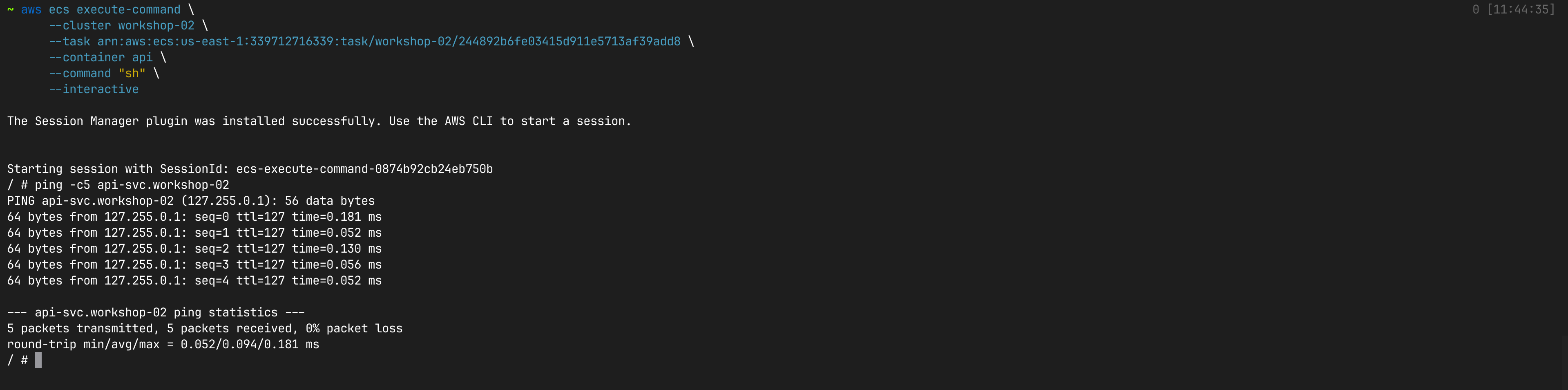
- The api service container can now be accessed. You can query the web service
aws ecs execute-command
  --cluster workshop-02 \
  --task arn:aws:ecs:us-east-1:339712716339:task/workshop-02/244892b6fe03415d911e5713af39add8 \
  --container api \
  --command "sh" \
  --interactive
Use ping -c5 api-svc.workshop-02 to test the connection to the API service.